
Gaia for TV
Gaia, Inc.Lifestyle
3.813.00 Reviews
- Version
- 6.3.4 (5218)PR
- Installs
- 100.00K
- Age Rating
- Teen
Screenshots
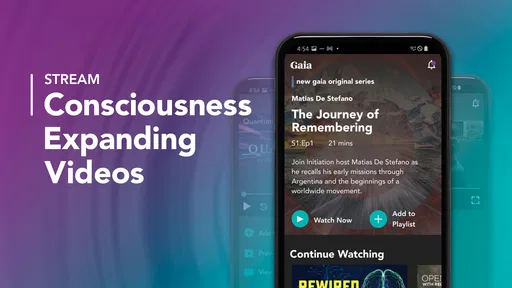
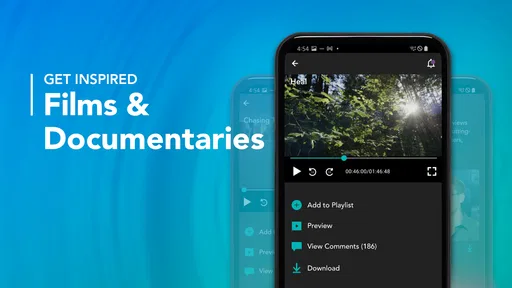

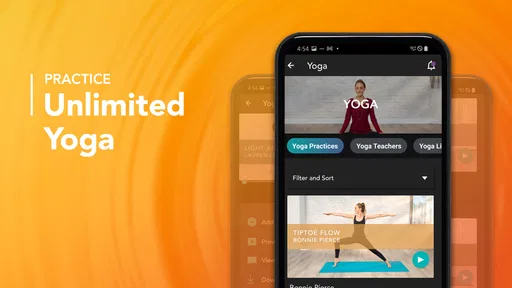
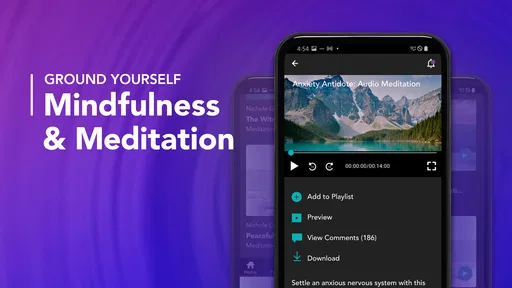
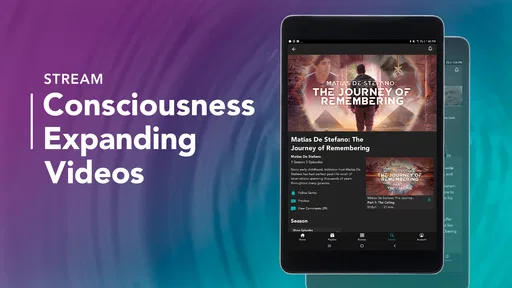


Our Review of Gaia for TV
 Analysis by Appyee
I found Gaia for TV most useful when I treated it as a shared doorway into yoga, meditation, and spiritual programming rather than as a personal fitness coach. In my home, the appeal is simple: one person can start a calm practice on the television, while someone else can join without needing to pass a phone around. That makes the app feel naturally suited to a living room, especially when the household wants a slower evening routine instead of another streaming drama.
The important distinction is that this is a Lifestyle app from Gaia, Inc., not a conventional workout tracker. Its focus is conscious yoga, meditation, and spirituality, so the experience is broader and more reflective than an app built only around calories, repetitions, or athletic progress. I would recommend it to people who want guided content with a spiritual edge, but I would not point a user toward it if they only want a tightly structured strength plan or a simple timer.
How Gaia for TV works in a shared home
The television format changes the way I use it. On a phone, yoga or meditation can feel like an individual activity squeezed into a busy day. On a larger screen, it becomes easier for two people to follow the same session from a comfortable distance. A household can place the device in a living room, bedroom, or another open area and make the practice visible without asking everyone to crowd around a small display.
A realistic use case is a couple finishing dinner and choosing a short meditation before bed. One person can select something while the other gets settled, and the screen gives both viewers a common reference point. The same arrangement can work for a parent and an older teenager who want a low-pressure activity that does not feel like a formal class. I like this because participation can stay casual: nobody has to perform for the other person, and either viewer can simply listen.
There is also a useful household trade-off. A shared screen encourages consistency because the activity becomes part of the room, but it reduces privacy. Someone who wants to explore spiritual subjects alone may prefer a phone or tablet, particularly if the living room is busy. Gaia for TV is strongest when the household agrees that the screen is a communal resource, not when every person expects a completely separate viewing history or personal environment.
For a group, I would prepare the room before opening the app. Clear enough floor space for yoga, lower the surrounding noise, and decide who is choosing the session. That small bit of coordination prevents the familiar problem where one person wants movement, another wants meditation, and the television becomes a negotiation instead of a relaxing tool. The app can support a shared ritual, but the household still has to supply the routine.
What the television format adds
The larger display is more than a convenience. During yoga, it lets viewers keep their head in a neutral position instead of repeatedly looking down at a phone. During meditation, the device can remain at a distance, which makes it less tempting to check unrelated notifications. I also find a television better for demonstrating the idea of a session to someone who is curious but not ready to install a wellness app on a personal device.
At the same time, the format is not automatically better for every activity. A phone is easier to take into a quiet corner, and headphones make private listening simpler. If one household member is sleeping, working, or watching something else, the TV version may create friction. My practical rule is to use the television for planned shared sessions and another device for spontaneous, private practice.
Setting boundaries before everyone starts using it
Because this is a shared-device app, I would establish a few basic boundaries before handing it to the whole household. Decide whether the account belongs to one adult, whether other members may browse freely, and whether the television is available for personal viewing or only for agreed sessions. These are not complicated technical settings; they are expectations that keep the app from becoming a source of arguments.
I would also avoid assuming that every person in the home wants the same kind of content. Yoga, meditation, and spirituality can be connected, but they do not appeal to everyone in the same way. One viewer may want gentle movement, another may prefer quiet reflection, and another may be interested in the broader spiritual programming. A shared account can work well when people respect those differences instead of treating one person’s preference as the household default.
Gaia for TV is free to install, which makes trying the television experience less intimidating. However, in-app purchases range from $15.99 to $299.99 per item, so I would not let a child or casual guest make decisions around paid content without an adult present. The free installation should not be confused with unlimited access to every part of the service. Before committing money, I would first test whether the available style and subject matter actually fit the household.
That is especially important on a television, where an account can feel communal even when the purchase decision is personal. If several people use the same screen, agree in advance about who is responsible for subscriptions or purchases. I would keep payment decisions with the account holder and explain that browsing content is not the same as approving a charge. This simple separation protects trust without pretending the app provides household management tools that it does not advertise here.
Coordinating different routines on one screen
The best shared setup I found was not an ambitious daily program. It was a small, repeatable appointment: one person handles the remote, everyone agrees on the general type of session, and the household stops when the planned time is over. This keeps Gaia for TV from turning into an endless search through spiritual or wellness content. The app becomes part of a routine rather than the routine itself.
For a mixed household, I would rotate the choice. Let one person choose a yoga session on one evening, another choose meditation the next time, and reserve broader spiritual viewing for a separate slot. This arrangement gives everyone a voice without requiring the app to maintain separate identities. It also exposes the household to more of the app’s range while keeping expectations clear.
There is a subtle advantage to choosing together on the television: the decision becomes visible. On a phone, someone can quietly select a session and others may not know what is playing. In a shared room, people can discuss whether the mood is right before beginning. That makes the app more approachable for a newcomer who might otherwise feel unsure about spiritual material.
The weakness is that coordination takes time. If one person wants an immediate five-minute pause and another wants a longer yoga practice, the app cannot solve the disagreement for you. A dedicated meditation timer is quicker for a spontaneous break, while a specialized yoga app may be more efficient for users who already know exactly which training progression they want. Gaia for TV earns its place when discovery and shared viewing matter as much as speed.
Age, trust, and choosing suitable content
The content rating is Teen, so I would treat the app as something to introduce thoughtfully rather than leave entirely to a young child’s independent browsing. That does not mean every item will be unsuitable for every teenager. It does mean an adult should understand the household’s comfort level with spiritual themes and decide how much freedom younger viewers should have when exploring.
For families, I would begin by watching together. A parent can explain that meditation and spirituality are presented as areas for reflection, not as replacements for medical, psychological, or religious guidance. That conversation matters because a teenager may interpret confident presentation as personal advice. The app can be a starting point for curiosity, but it should not carry more authority than it deserves.
This is also where trust becomes more important than a list of technical controls. I would not promise that Gaia for TV can separate every person’s preferences, protect every viewing choice, or create a fully customized child environment. Instead, I would use household rules: adults approve purchases, younger viewers ask before exploring unfamiliar material, and everyone can say when a topic makes them uncomfortable.
For an adult-only home, the age context is less of a concern, though shared viewing still benefits from communication. Spiritual content can be personal, and a partner may not want it playing unexpectedly in a common room. Asking first is a small courtesy that makes the television feel welcoming rather than intrusive.
Where it sits beside familiar alternatives
Compared with a standard yoga app on a phone, Gaia for TV feels less like a pocket coach and more like a curated living-room experience. A phone app usually wins for portability, quick sessions, and personal convenience. Gaia’s television focus wins when clear viewing and shared participation matter. If my goal were to track a precise training plan, I would choose a more fitness-centered alternative. If my goal were to create a calm shared atmosphere, this app would be the more natural fit.
Compared with a basic meditation timer, it offers a richer guided experience, but it also asks me to browse and choose. A timer is ideal when I already know the length and structure of my practice. Gaia is better when I want guidance or want to explore different approaches. That difference is important for busy users: the app can inspire a routine, but it may not be the fastest route to a two-minute reset between appointments.
Compared with ordinary streaming television, Gaia for TV is more intentional. It gives the household something to do rather than something merely to watch. Still, it is not automatically relaxing. Searching, debating, and switching between options can produce the same decision fatigue as any other streaming service. I get the most from it when I decide the purpose first: movement, meditation, or reflective viewing.
Installation, compatibility, and day-to-day expectations
The app was released on November 30, 2018, and the current version is 6.3.4 (5218)PR. It supports Android 6.0 and later, which makes it accessible on a wide range of Android hardware. The practical point for a household is to check the television or connected device before planning a group session. Compatibility is only useful if the screen you intend to use can actually run the app comfortably.
Gaia for TV has passed 100K installs, and its average rating is 3.8 from roughly 397 ratings. I read that as a sign of moderate interest rather than universal approval. The number is large enough to show that the app is being used, but not so overwhelming that I would treat the rating as a substitute for matching the app to my own needs. Its store page also shows around 13 written reviews, so I would pay more attention to the actual fit of the service than to a single score.
The Teen rating and the in-app purchase range are the two details I would discuss most clearly in a shared home. The first affects who should browse independently; the second affects who should control spending. The app’s technical minimum is helpful, but household readiness is just as important as operating-system compatibility.
I would also keep expectations realistic about the role of the television. It is a display and a shared access point, not a substitute for a quiet room, a suitable surface, or sensible physical limits. If a pose causes pain, stop. If a meditation topic feels distressing, choose something else or step away. The app can guide an activity, but it cannot see the room, assess each viewer, or manage the emotional dynamics of a family.
Small workflows that make the experience better
My first useful workflow is the “preview together” habit. Before starting, spend a moment deciding whether the session suits everyone present. This is particularly helpful with spiritual programming, where the subject can be more personal than a neutral stretch routine. It reduces abrupt changes and gives teenagers or guests a chance to opt out without embarrassment.
The second is to separate discovery from practice. Browse when the household has time, then begin the selected session without continuing to search. This keeps the television from becoming a menu that runs in the background while everyone loses interest. It also makes the app feel more like a planned activity and less like passive streaming.
The third is to designate a non-viewer-friendly alternative. If one family member does not want to participate, agree that they can read, listen elsewhere, or use another device while the session runs. That small option prevents the app from becoming a test of family unity. Shared use works best when participation is invited, not forced.
A fourth practical tip is to keep the first session modest. Do not make the app responsible for fixing a household’s sleep, stress, or exercise habits in one evening. Try it as a short shared pause, notice whether the content feels comfortable, and then decide whether it deserves a regular place in the week. This approach makes the purchase question easier too, because the household can judge real interest before spending.
Who should choose it, and who should skip it
I think Gaia for TV is a good match for adults, couples, and older teenagers who want yoga and meditation presented alongside spiritual exploration. It is particularly appealing when the television is already the household’s main shared screen and when people enjoy choosing content together. The app also suits someone who finds phone-based wellness experiences too cramped or distracting.
I would steer away from it if the main goal is measurable athletic improvement, detailed workout tracking, or a strict progression designed around one discipline. I would also hesitate to recommend it to someone who wants completely private, highly personalized use on a small device. A dedicated yoga platform may be better for technique-focused training, while a simple mindfulness app may be better for quick, quiet sessions.
It is not the right household choice when family members strongly disagree about spiritual content or when nobody wants to coordinate use of the television. In that situation, individual apps provide cleaner boundaries. Gaia for TV becomes worthwhile when the shared screen is part of the appeal, not merely the only available screen.
My household verdict
After using Gaia for TV as a shared lifestyle app, I see its value in the space between personal wellness and communal viewing. It can turn a living room into a place for movement, quiet, and conversation, but only if the household sets boundaries around content, time, age, and spending. The app is not a magic family routine; it is a tool that works better when people agree on how to use it.
I like the larger-screen approach, the blend of yoga and meditation with spiritual material, and the way a newcomer can participate without needing a personal setup. I am less enthusiastic about using it as an always-on solution or expecting it to replace specialized training apps. Browsing can take discipline, and the Teen rating plus paid-item range make adult involvement sensible in homes with younger viewers.
With a free installation and support for Android 6.0 and later, it is reasonable to try the experience before deciding whether it belongs in the household’s regular rotation. My recommendation is straightforward: choose it if you want a shared, reflective television experience and are comfortable coordinating access. Skip it if you need private profiles, rapid timer-style meditation, or a precise fitness program. For the right home, Gaia for TV is best used as a shared invitation to slow down, not as another service competing for everyone’s attention.
Verdict
Strengths of Gaia for TV
- Large library of documentaries, films, and original series
- Strong focus on wellness, spirituality, and personal growth
- Supports streaming on compatible smart TVs and mobile devices
- Personalized recommendations help discover relevant content
- Many titles include subtitles and multiple language options
Limitations of Gaia for TV
- Content may feel niche if you prefer mainstream entertainment
- Some videos require a higher subscription tier
- Streaming quality depends heavily on your internet connection
- Certain titles may have limited subtitle or audio options
- The subscription can be expensive compared with general streaming services
Other Releases by Gaia, Inc.
View All
Gaia: Streaming Consciousness
Lifestyle4.6
Similar Picks in This Category
View All
SmartThings
Samsung Electronics Co., Ltd.4.6

Google Home
Google LLC4.0

Pinterest4.2

Astrotalk - Talk to Astrologer
Astrology & Horoscope4.7

My Verizon
Verizon Consumer Group4.5

Samsung Wallet (Samsung Pay)
Samsung Electronics Co., Ltd.4.1
Frequently Asked Questions
What is Gaia for TV, and what content does it offer?
Gaia for TV is a streaming application focused on conscious media, personal growth, yoga, meditation, fitness, spirituality, and documentaries. After installing it on a compatible television, users can browse guided classes, educational programs, original series, and wellness content designed for different experience levels. The catalog and available features may vary depending on your region and subscription plan.
Is a subscription required to use Gaia for TV?
Most of Gaia’s full library requires an active paid subscription, although the app may provide previews, selected free videos, or introductory access depending on current promotions. Before downloading, check the subscription terms shown in your country, including the trial period, renewal price, billing frequency, and cancellation policy. A subscription purchased through a TV platform may also be managed through that platform’s account settings.
Which smart TVs and streaming devices are compatible with Gaia for TV?
Compatibility depends on the television model, operating system, and country. Gaia is generally intended for supported smart TV platforms and popular streaming devices, but older hardware may not appear in the application store or may offer limited functionality. It is best to confirm compatibility in your TV’s app marketplace before subscribing. A stable internet connection is also recommended for smooth high-quality playback.
Can I watch Gaia content offline or download videos on my television?
The TV version is primarily designed for online streaming, so offline downloads are not normally the main feature on smart televisions. If Gaia supports downloads on your account, that option may be available through compatible mobile applications rather than directly on the TV app. Users with unreliable internet should test playback quality first and check whether their chosen content can be downloaded on another supported device.
Does Gaia for TV include subtitles, profiles, and personalized recommendations?
Gaia for TV may include features such as subtitles, watchlists, viewing history, recommendations, and account-based access, but the exact options can differ by device, title, language, and region. Some programs may not offer subtitles in every language, and family or profile controls may be limited compared with larger entertainment services. Review the app settings after signing in to adjust available playback and accessibility preferences.
